Shipyard Management Software for Refit & Service Yards
Work orders, planner, vessels, owners, berths, purchasing and invoicing for your yard, in one place.
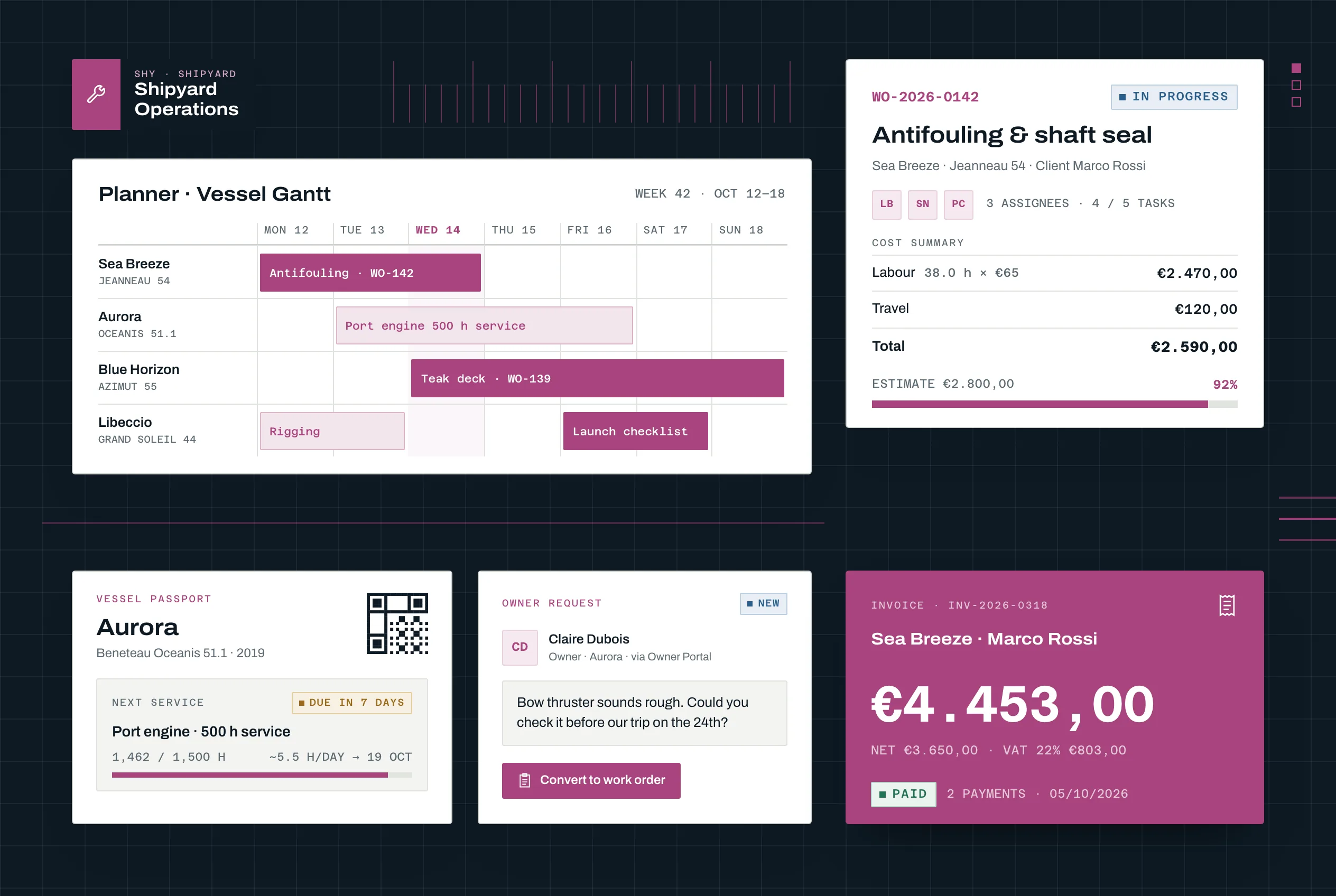
Free plan
One yard included
Roles that use Shipyard
Module workflows are designed around how these roles actually work day-to-day. Pick the one that matches yours.

Refit Project Manager
Run multi-contractor yacht refit projects on scope, schedule and budget — with documentation that survives the yard period.

Shipyard Owner
See the whole yard at a glance — every project, work order, berth and invoice, on one dashboard.

Contractor Coordinator
Keep 30-80 specialist contractors aligned to scope, schedule and quality — without the WhatsApp-plus-clipboard chaos.
Proven Results in the Industry
12
Dashboard widgets
6
Planner views
6
Languages for PDFs and passports
1 click
From supplier PDF to draft purchase
Built for the Yards That Keep Boats Running
Service, maintenance and refit work on existing vessels, from a single yard to a group of several
Service & Refit Yards
Yards that maintain, repair and refit existing boats, and need work orders, hours, parts and invoices to follow each vessel from request to handover.
Boatyards & Marinas With a Yard
Operations that combine berths and technical work: occupancy, seasonal stays and monthly invoicing sit next to the work orders on the same boats.
Multi-yard Groups
Groups running several sites under one organisation, with per-yard permissions and a shared view of vessels, workforce and documents.
Marine Surveyors
Surveyors handling claims, pre-purchase, coating and supervision work, who need site visits, pinned findings, a report PDF and a fee invoice in one case file.
Key Benefits for Your Business
Discover how this module can transform your operations and deliver measurable results
A Planner the Whole Yard Trusts
Week, day, vessel Gantt and kanban views with drag-and-drop, overbooking warnings and approved absences that block the calendar
From Quote to Reconciled Payment
Quotes, pro-formas, delivery notes and invoices, supplier documents read by AI, and bank statements matched against invoices
One Place for Every Work Order
Requests from staff, owners and the Telegram bot become work orders with tasks, hours, photos and a cost summary against the estimate
Owners and Documents in Order
The Owner Portal and Vessel Passport share equipment, maintenance and invoices, while dossiers track expiry dates and required documents
Everything the Yard Runs On
From the first request to the final invoice, every work order, vessel, berth and document in one place
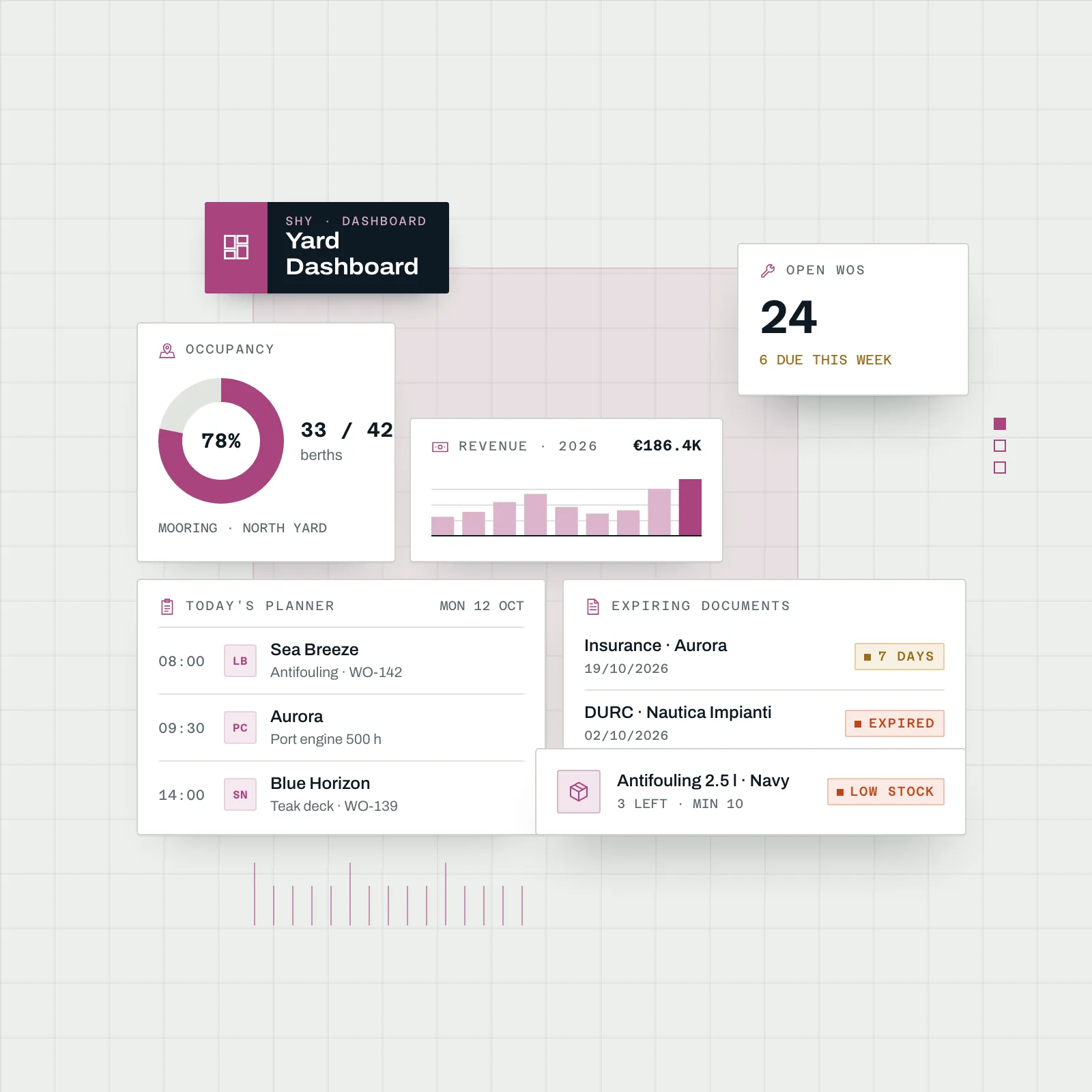
Dashboard & Operations KPIs
A dashboard each person arranges with the widgets they need: mooring map, occupancy, open work orders, today's planner, revenue, expiring documents, absences and low stock, updated live when a colleague or the bot saves.
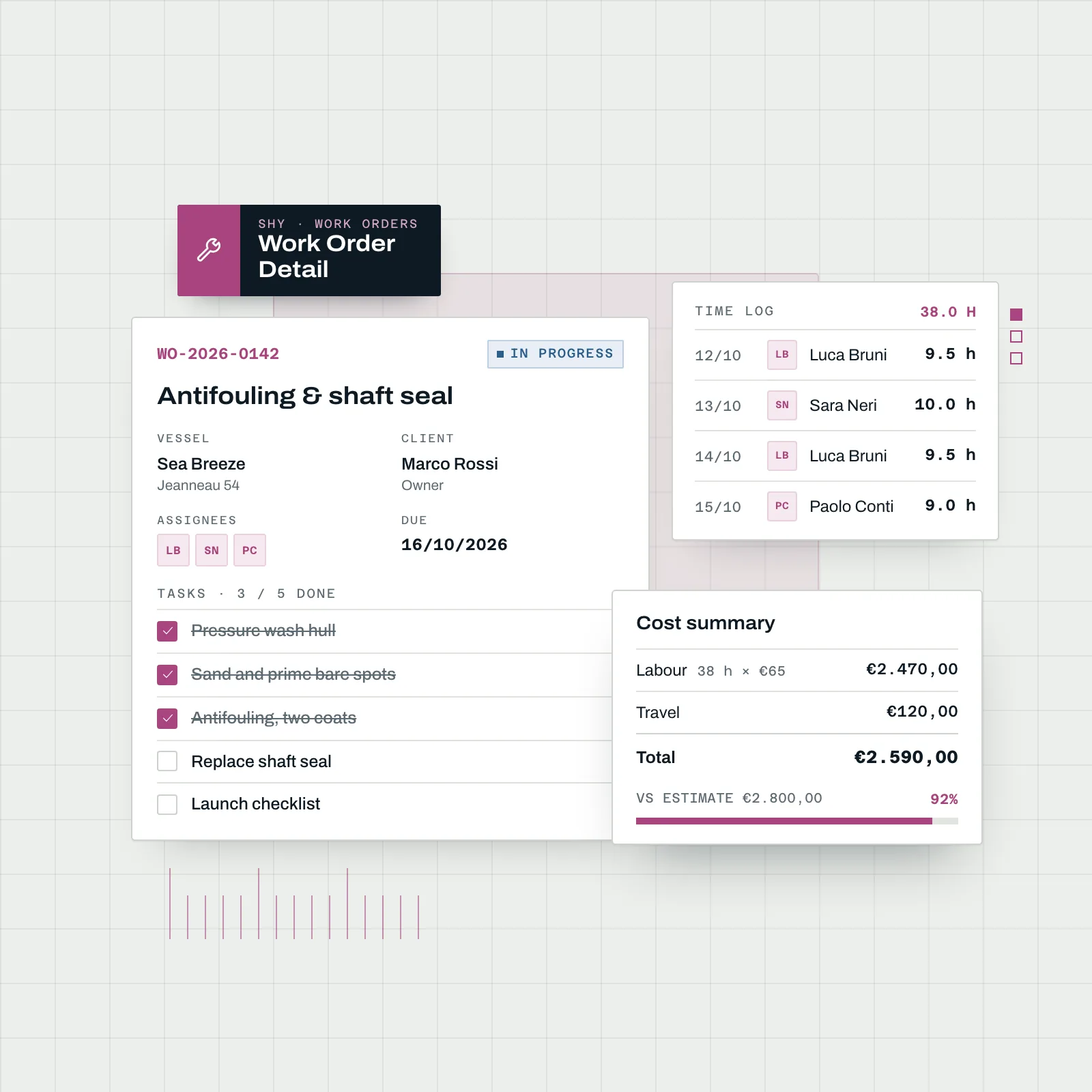
Projects & Work Orders
Projects group the work orders for a vessel. Each work order carries the client, assignees, tasks, photos and time logs, with a cost summary that sets hours at the yard rate and travel against the estimate.
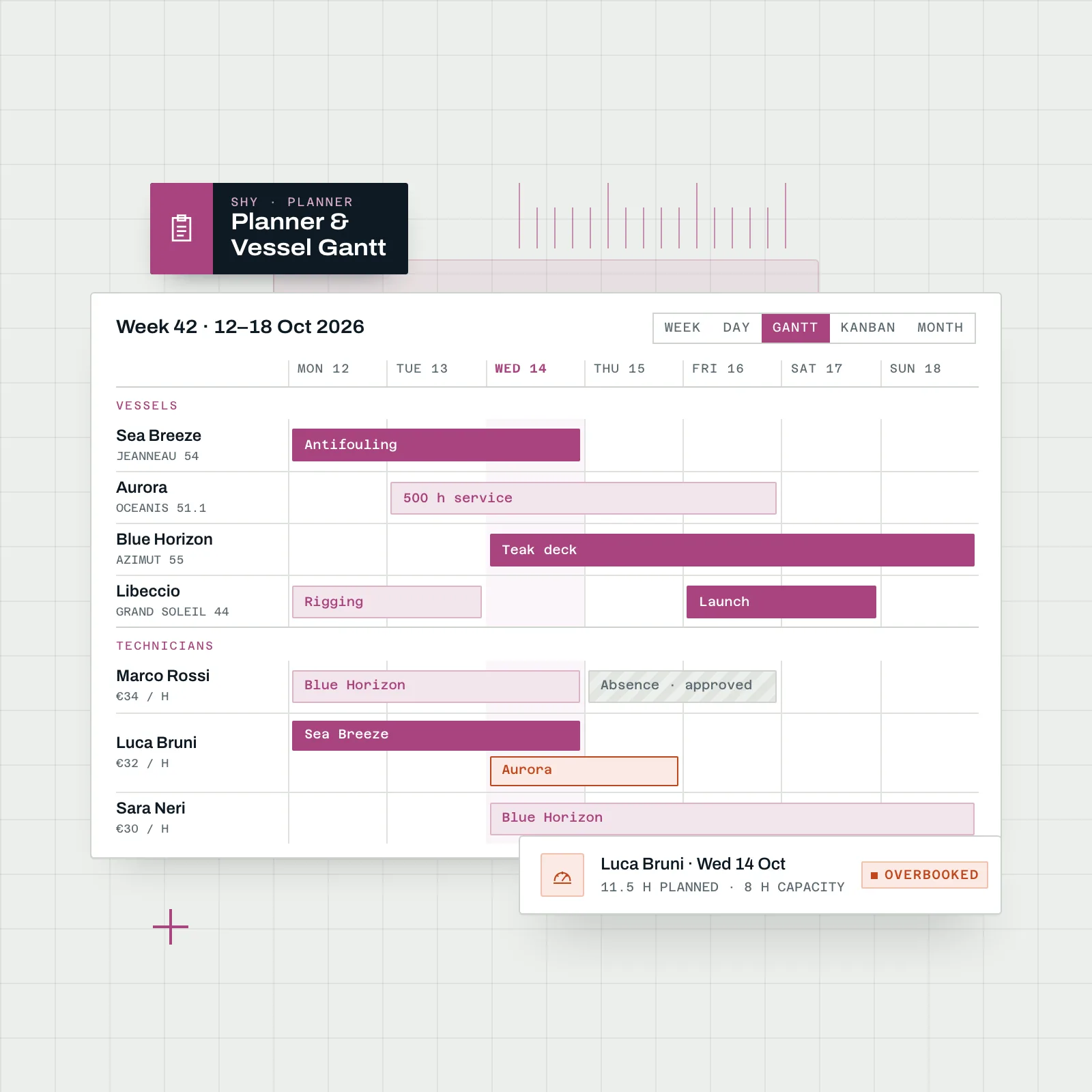
Planner & Workforce
Drag work onto people in a week grid, an hourly day view with 15-minute snap, a vessel Gantt, kanban, list or month. Overbooking is flagged, and approved absences block the calendar.
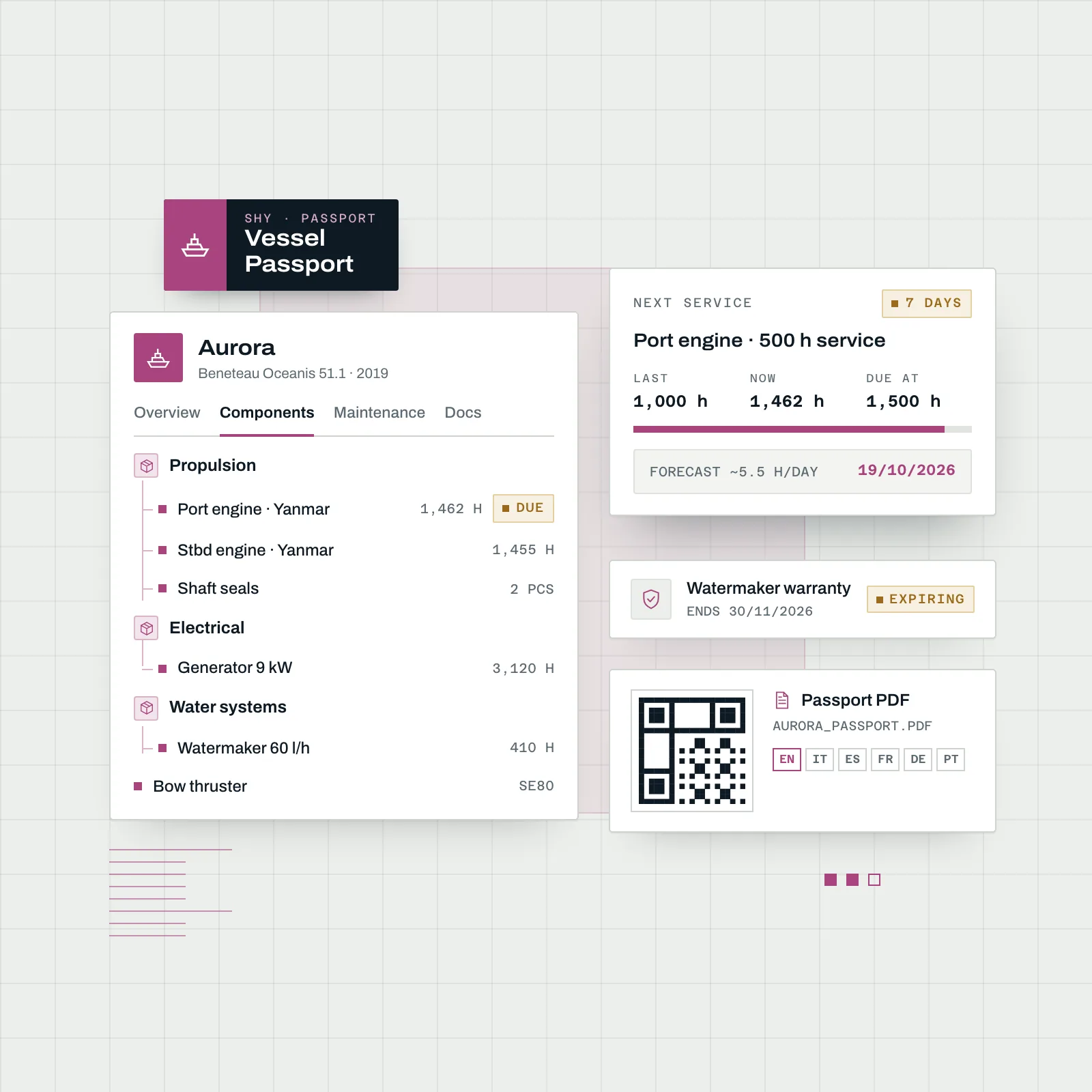
Vessel Passport & Maintenance
One record per vessel: component tree, warranties, documents, drawings and full work history. Service intervals by months or engine hours forecast the next due date, and overdue items reach the team by email and Telegram.
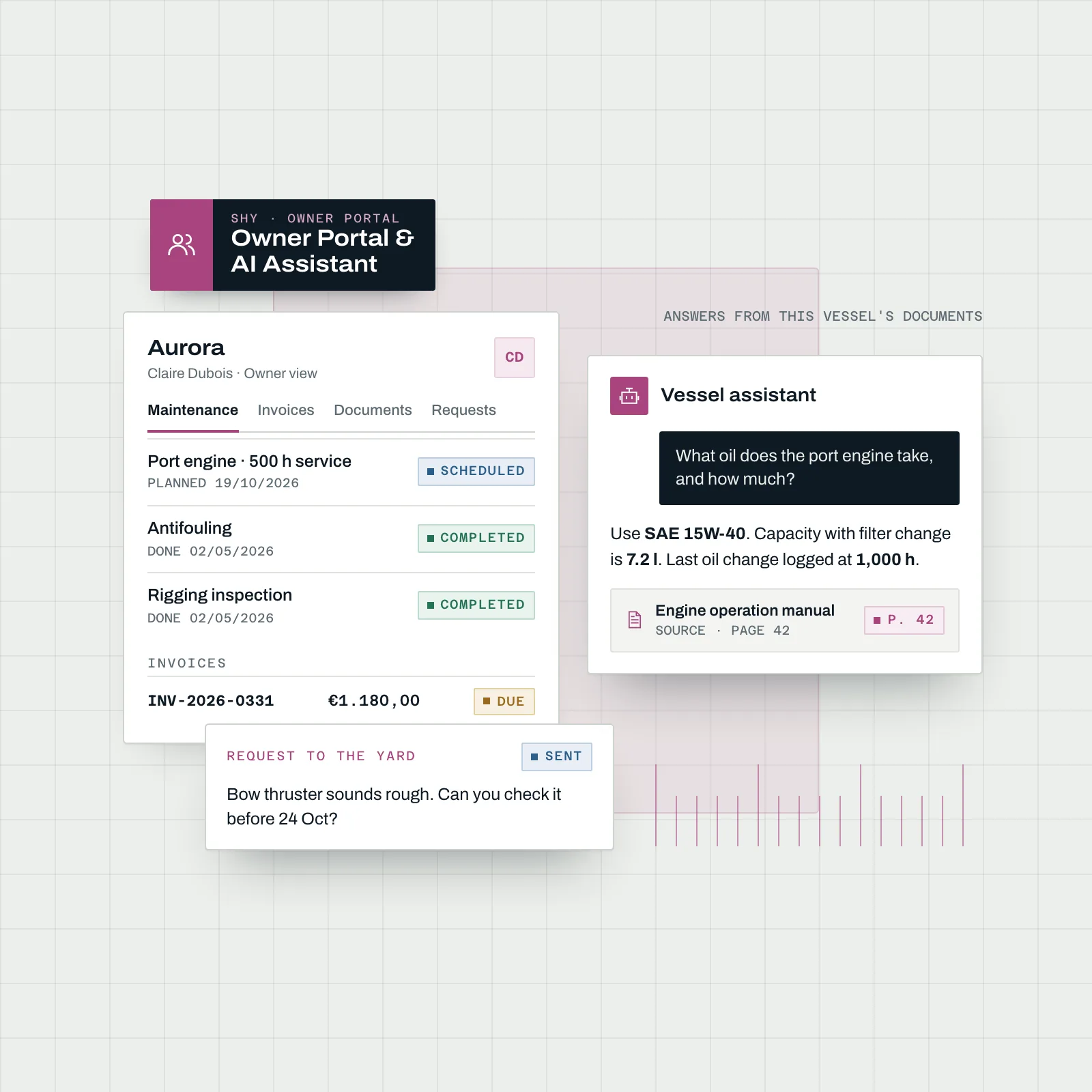
Owner Portal & AI Assistant
Owners, captains, managers and brokers see their vessel's equipment, documents, maintenance, history and invoices, and send requests to the yard. An AI assistant answers from the vessel's own documents, with citations.
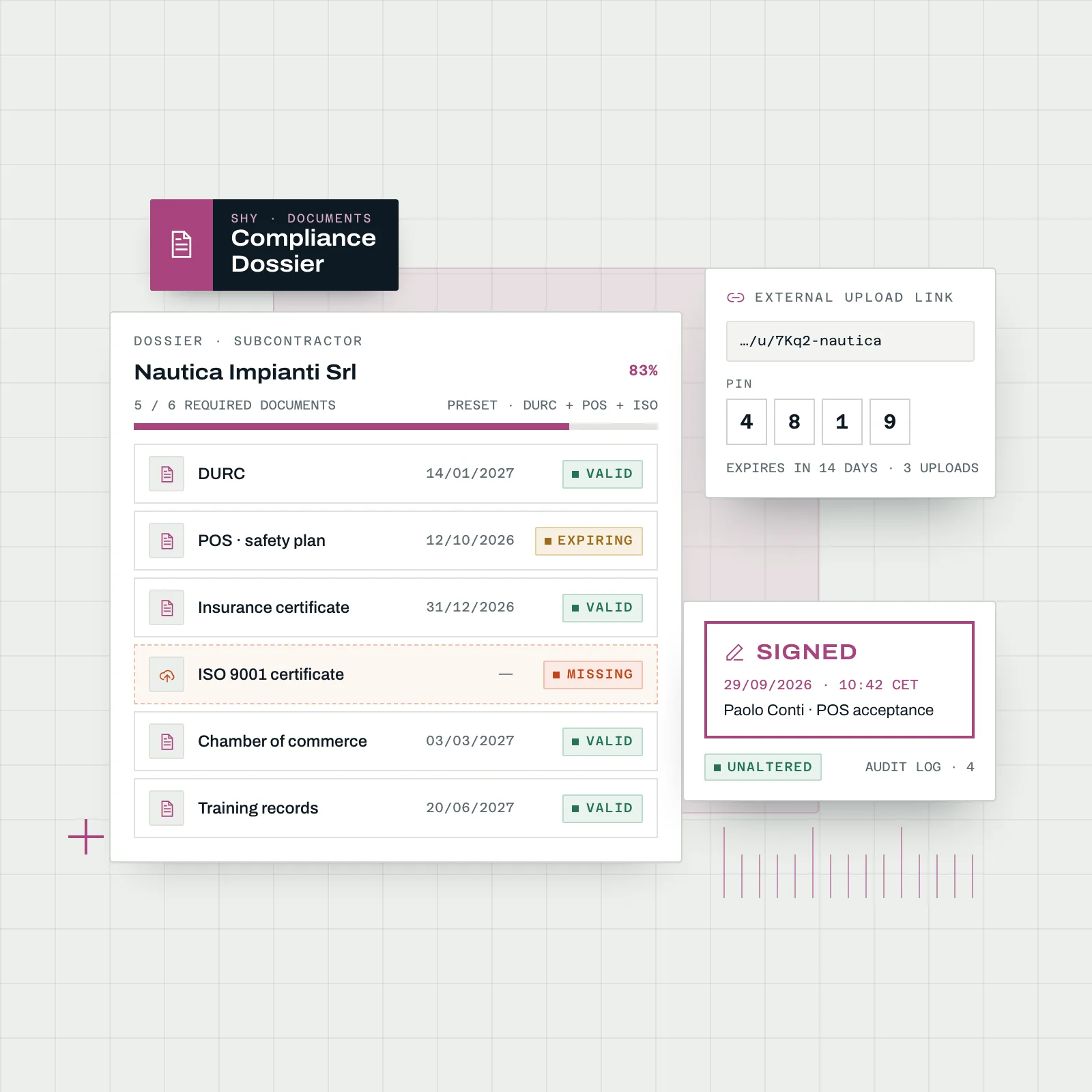
Documents, Compliance & E-signature
Documents with versions, expiry dates and approvals, linked to any record. Dossiers track which required documents are still missing, and built-in e-signature covers drawn, typed and cryptographic signatures with an audit log.
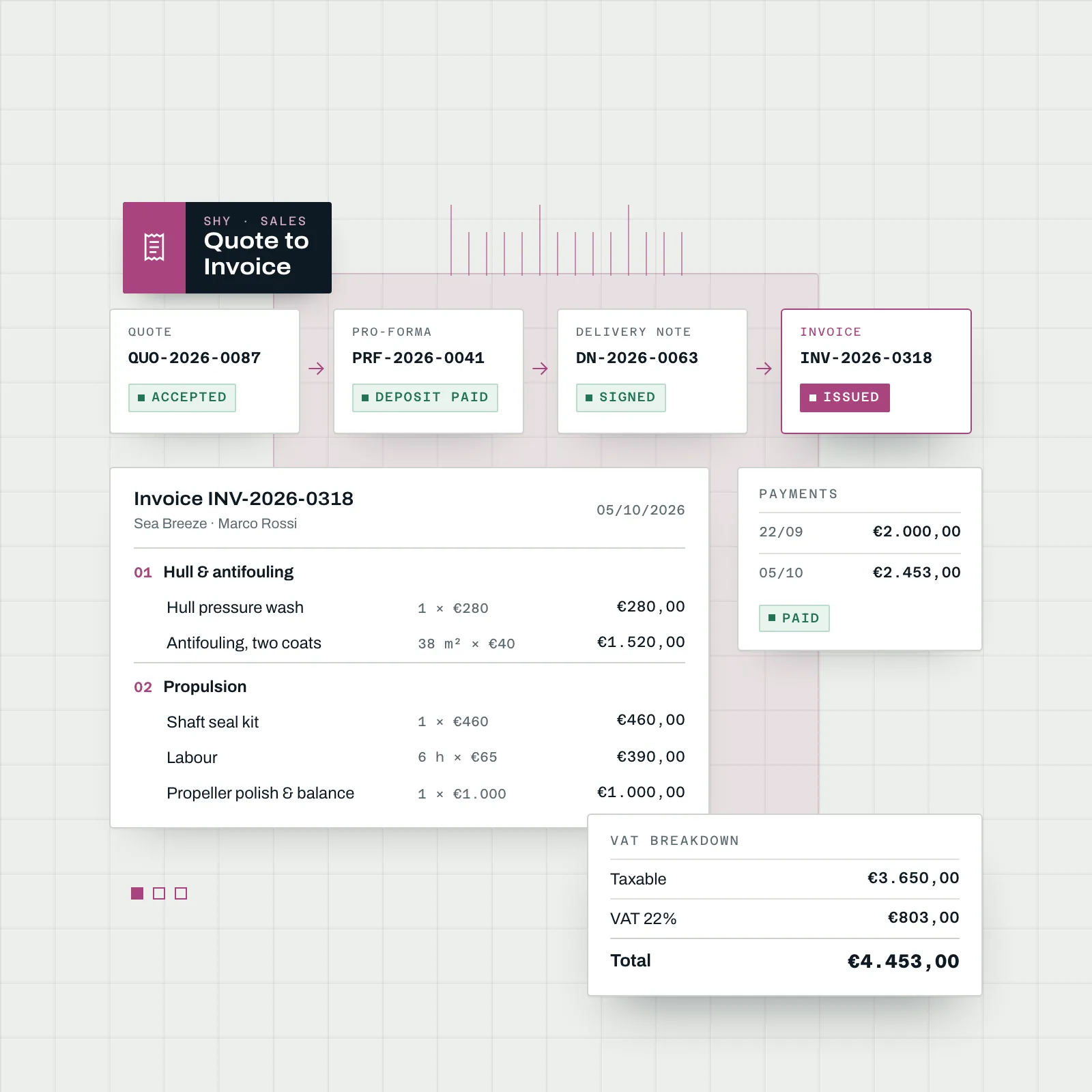
Quotes to Invoices
Quote, pro-forma, delivery note and invoice from the same lines, organised in chapters and priced from your catalogue of labour, products and services, with payments recorded and PDFs showing the VAT breakdown.
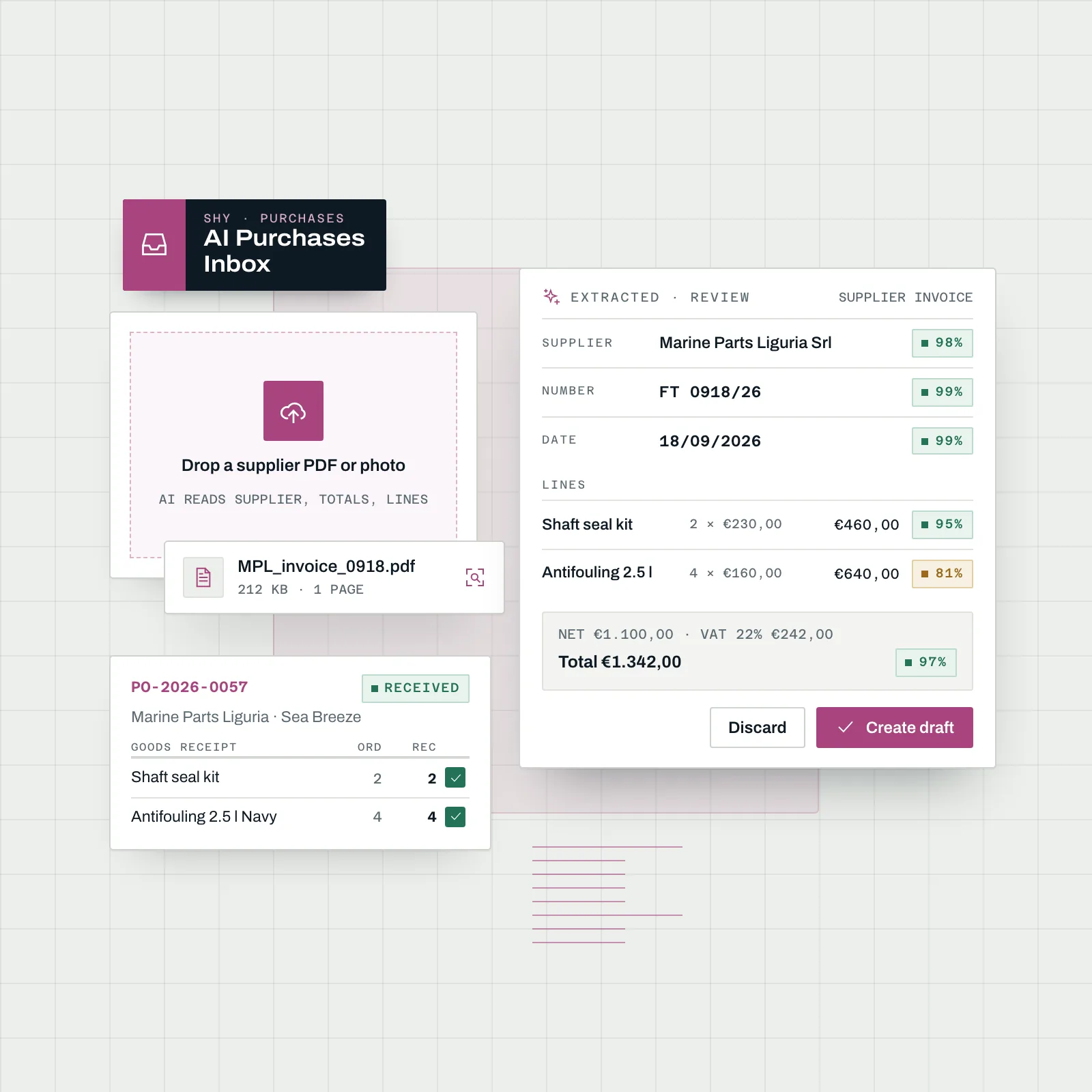
Purchasing & AI Inbox
Supplier quotes, purchase orders, goods receipt and supplier invoices, linked to the project they belong to. Drop a supplier PDF or a photo in the inbox: AI reads supplier, totals and lines, and one click creates the draft.
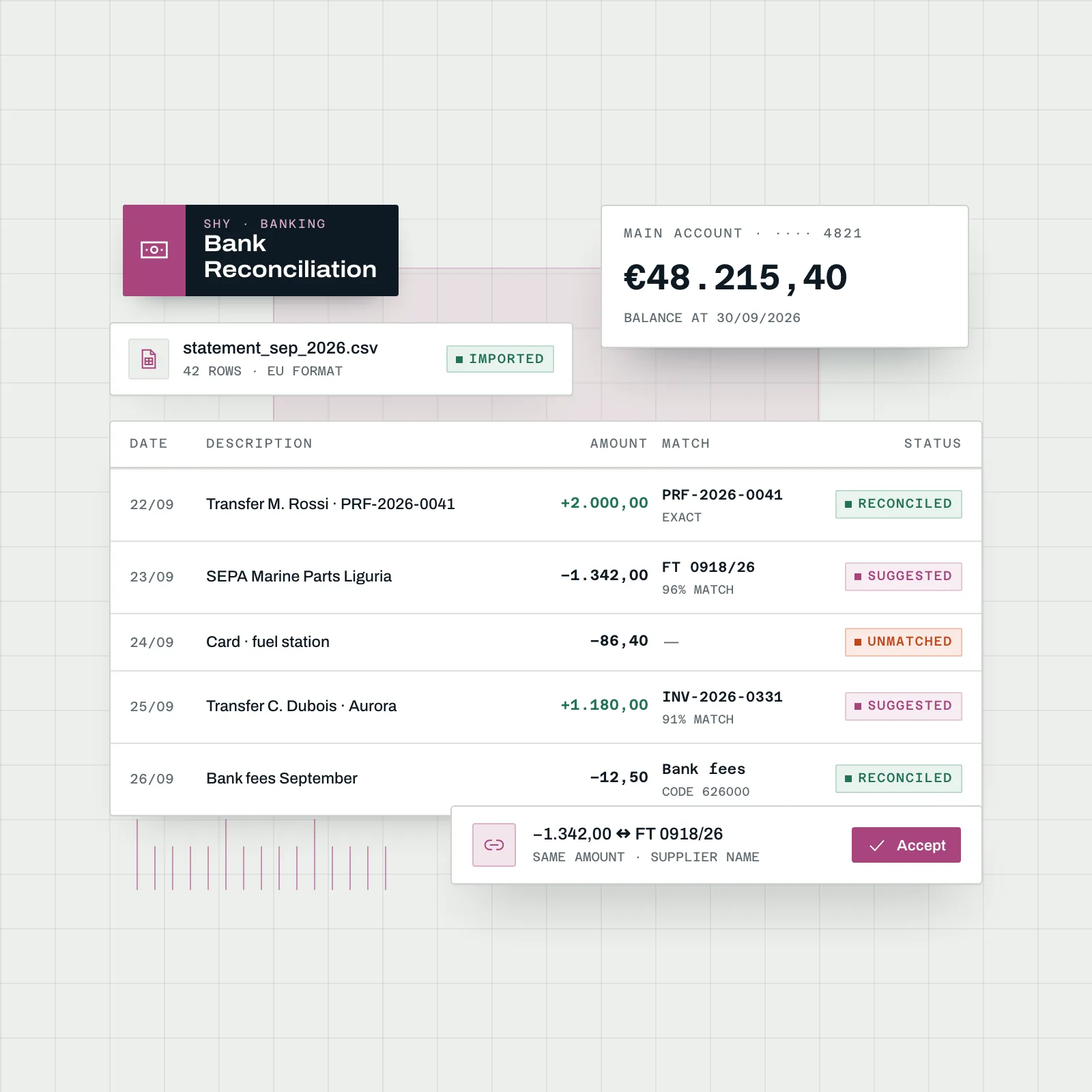
Banking & Reconciliation
Import bank statements as CSV in common European and US formats, categorise movements with your accounting codes, and reconcile them against invoices from suggested matches.
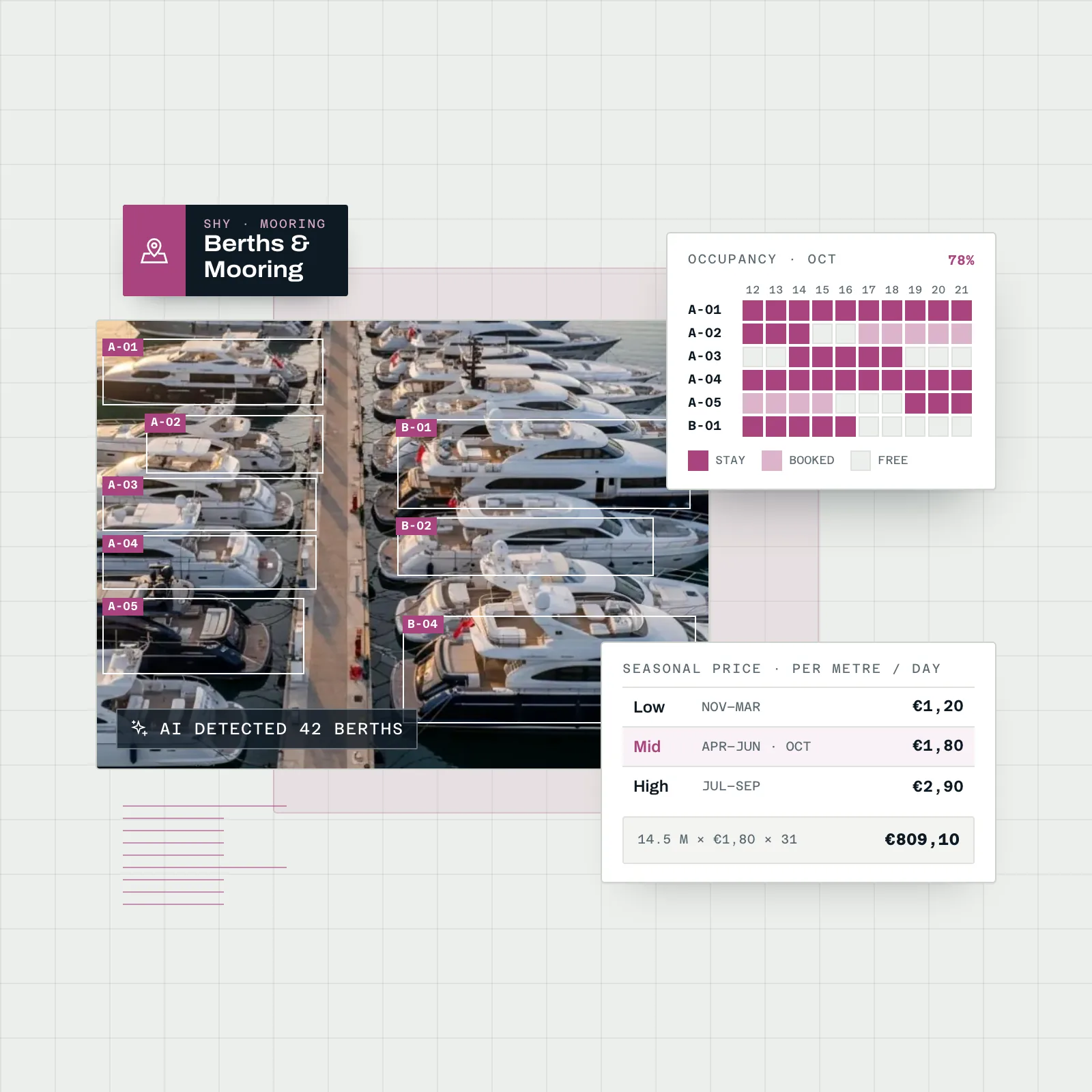
Mooring & Berths
Berth occupancy on a grid and a satellite map, with double bookings prevented, daily or per-metre seasonal pricing and monthly stay invoicing. AI detects berths from the satellite image to set up the map faster.
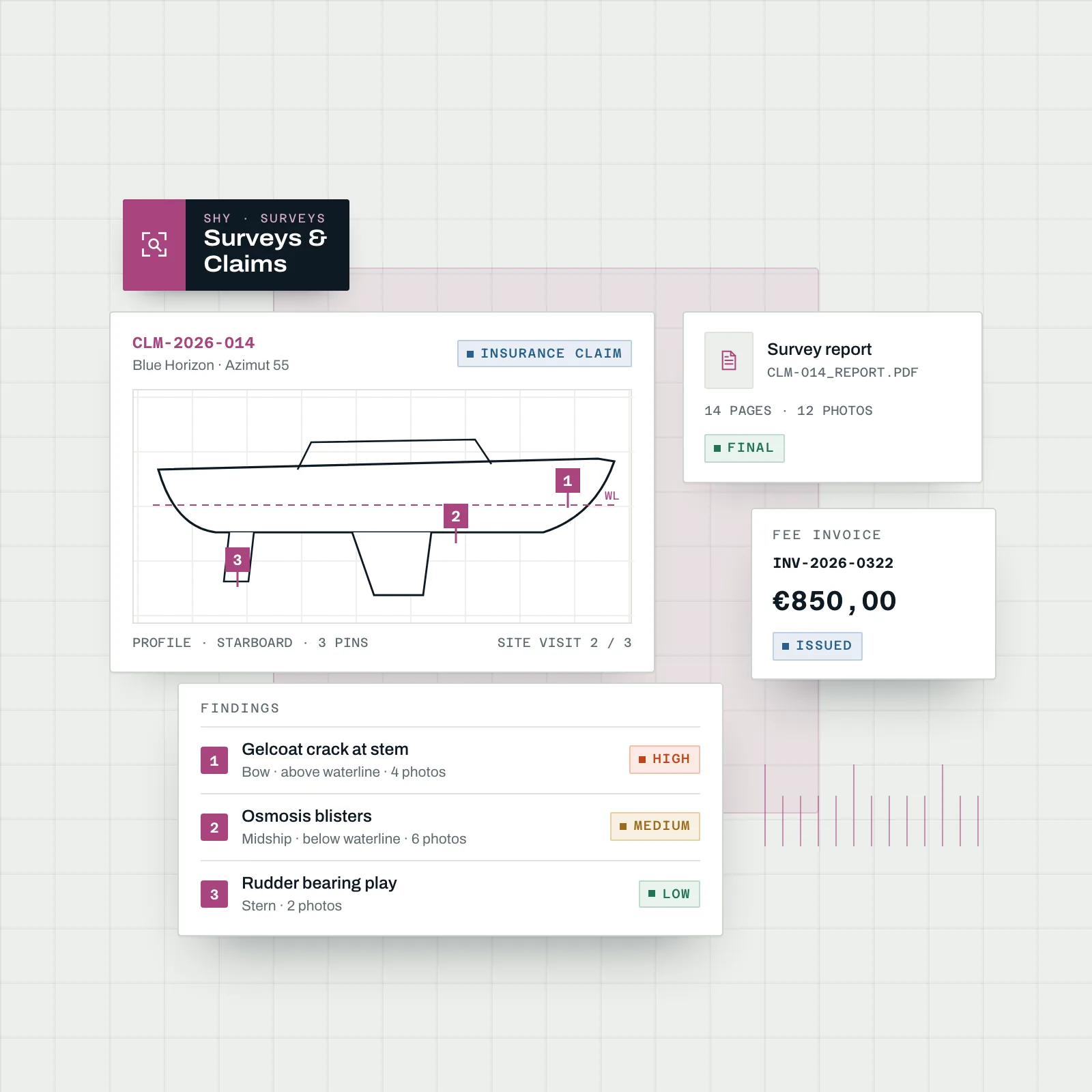
Surveys & Claims
Insurance claims, pre-purchase, coating and works-supervision cases with a site-visit log and findings by severity. Tap a drawing to pin a defect with its photos, then issue the report PDF and the fee invoice.
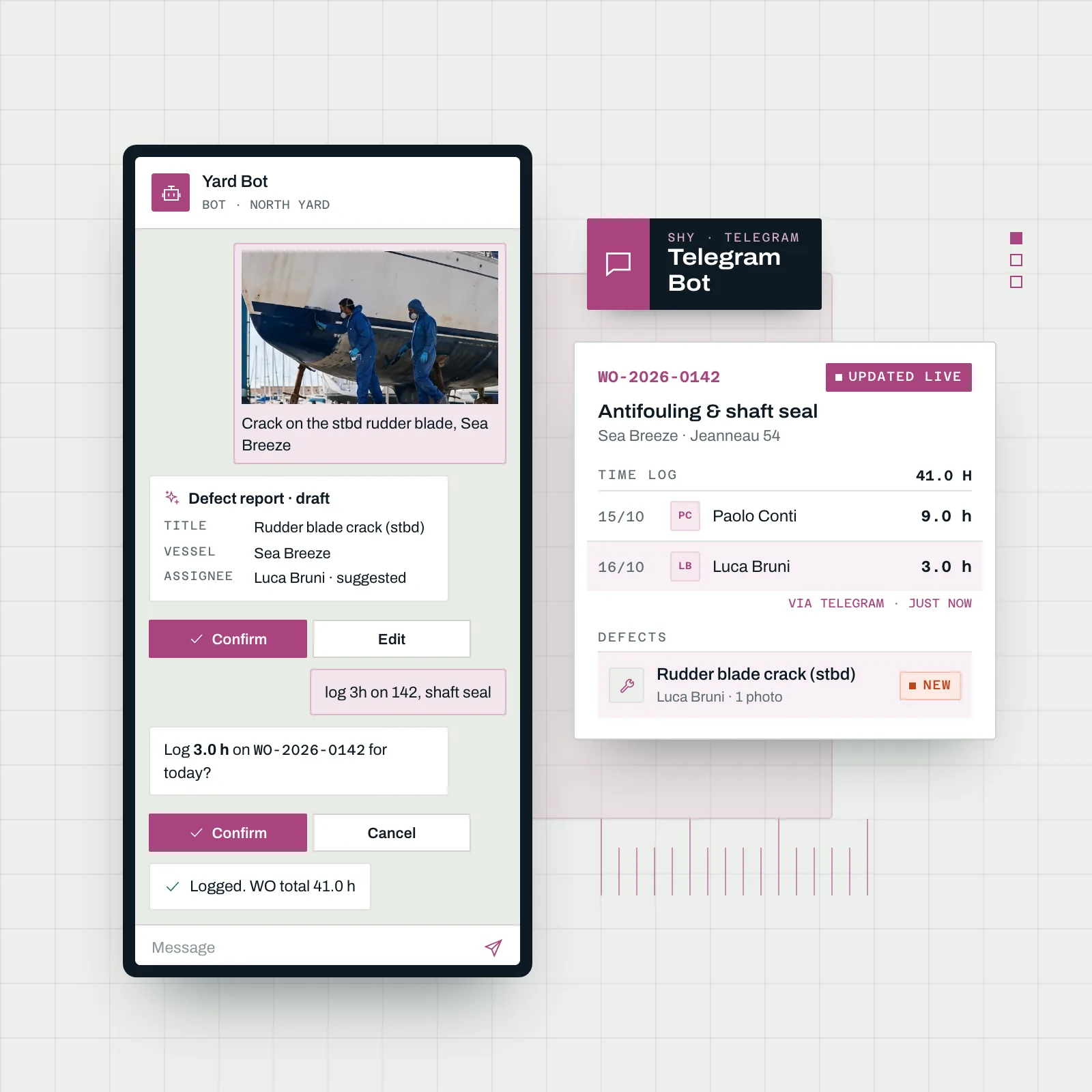
Telegram Bot & Mobile
Technicians link the bot with a QR code, then check work orders, stock and yard status, log hours, complete tasks and report a defect from a photo, a text or a voice message. Every change is confirmed before it is saved.
More for the Yard Floor and the Office
The details that keep technicians, subcontractors and the office working from the same information
Checklist Templates
Reusable checklists for launch, haul-out, handover and winterisation, added to a work order so every technician follows the same steps.
Work Requests
Requests from staff, the Owner Portal or Telegram land in one queue, where the office reviews them and converts them into work orders.
Internal Tasks & Heatmap
Non-billable work such as yard upkeep and training is recorded too, and a heatmap shows where that time goes across the team.
Timesheets & Absences
Each employee has an hourly cost, frozen on the timesheet when hours are logged. Absence requests go through approval and block the planner once approved.
Inventory & Low Stock
Parts and consumables with SKUs, movements in and out, and an alert when an item falls below its minimum level.
Yard Assets & Locations
Yard equipment with a QR label, counters and an event history, placed in the yards, docks and sheds where it actually lives.
Upload Links for Subcontractors
Send a subcontractor or supplier a magic link with an optional PIN and an expiry of one to thirty days. Files are checked on arrival and can be signed in place.
Vessel Share Links
Share a vessel page with a surveyor, buyer or insurer through a public link with an optional PIN and expiry, and see who opened it in the access log.
Multi-yard & Permissions
Run several yards in one organisation, with teams, roles and per-yard permissions so each person sees the sites and data they work on.
Two-factor & Audit Log
Two-factor authentication for every account and an audit log of who changed what, so the office can answer questions about any record.
Installable App
Add Shipyard to the home screen of a phone or tablet like a native app, with an offline page when the signal drops at the far end of the yard.
Page Help & ⌘K
Every page explains itself with built-in help, and the command palette jumps to any vessel, work order or screen from the keyboard. Dark mode included.
Start with Shipyard for Free
Shipyard management software with a Free plan for one yard
Open SupaSailing Shipyard and run work orders, the planner, vessels and invoicing for your yard. The Free plan covers one yard; Pro adds up to five yards, the Owner Portal and the AI assistant.
No credit card required • Start in 30 seconds
Available in Multiple Languages
This module is fully translated and ready to use in the following languages
Why Choose SupaSailing Shipyard for Your Yard?
Most service and refit yards run on a mix of tools that were never meant to work together. Work orders live on a whiteboard or a spreadsheet, hours are written on paper timesheets and typed in at the end of the week, owners ask for updates by phone and WhatsApp, and supplier invoices pile up as PDF attachments waiting to be keyed in. The vessel's history sits in the head of the one technician who has always looked after that boat. Generic job-management software helps with scheduling, but it knows nothing about engine hours, haul-outs, berths, warranties or owners who live abroad, and it rarely connects the work on the hard with the invoice that follows. The result is hours that never reach the invoice, maintenance that is remembered too late and an office that spends its day chasing information.
SupaSailing Shipyard brings the running of a yard into one platform. Requests from staff, owners or Telegram become work orders grouped under projects, with tasks, photos, time logs and a cost summary against the estimate. The planner puts that work on people and on each vessel's Gantt, and approved absences block the calendar so nobody is booked twice. Every boat has a Vessel Passport with its components, warranties, documents and service intervals by months or engine hours, and overdue items reach the team by email and Telegram. Owners follow their boat in the Owner Portal, where an AI assistant answers from the vessel's own documents. On the office side, lines flow from quote to pro-forma, delivery note and invoice, supplier documents are read by the AI purchases inbox, bank statements are reconciled against invoices, and berths are managed on a satellite map. Surveyors get Surveys & Claims for site visits, pinned findings and report PDFs.
A Work Order From Request to Invoice
Take a routine job. The owner reports a leaking seacock from the Owner Portal, and the request appears in the yard's queue next to the ones staff raised in person or through Telegram. The office converts it into a work order on the vessel, attaches the haul-out checklist and sends a quote priced from the catalogue. Once the owner accepts, the planner assigns two technicians on the vessel Gantt, avoiding the one who is on approved leave. On the hard, the technicians open the work order on their phones, log hours, tick off the checklist and photograph the replaced part. The supplier's invoice for the fitting is dropped into the AI purchases inbox and becomes a draft purchase in one click. When the job closes, the same lines become the invoice, the Vessel Passport records the work, and the owner sees the photos and the invoice in the portal. When the payment arrives, the bank statement import suggests the match.
The change shows up in the everyday work. Technicians record hours and photos where the work happens instead of reconstructing the week on Friday, so the hours logged are the hours invoiced. The office stops re-typing supplier invoices and stops answering the same owner questions by phone, because the portal and the AI assistant already have the answers. Maintenance comes due from the Vessel Passport rather than from memory, and when a boat changes hands its full history, warranties and documents go with it as a handover pack. Managers see occupancy, open work orders and expiring documents on one dashboard, and groups with several yards keep each site's data behind per-yard permissions while sharing one organisation. With two-factor authentication, an audit log of every change and a Free plan to start on, the yard can try Shipyard on real work before committing.
Run Your Yard in One Place
See Shipyard with your own work orders, vessels and planner in a short demo.
Easy Migration to Shipyard
Already using another system? Our team of experts specializes in hassle-free data migration from your existing software to SupaSailing. We preserve all your historical data providing access to our modern and intuitive platform.
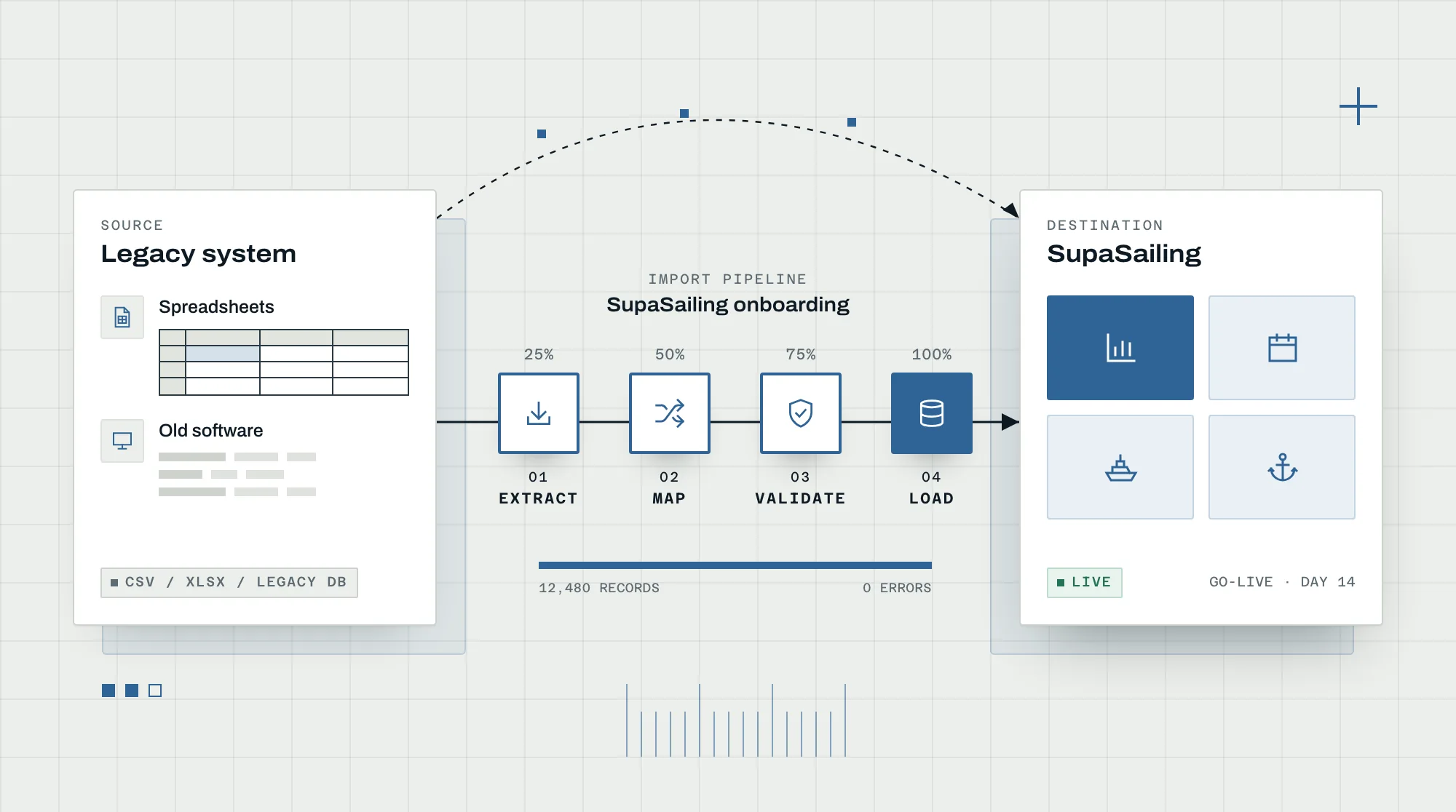
Our Migration Process Includes:
Key Advantages
See how Shipyard runs work orders, the planner, vessels, owners and invoicing for your yard in one place.
Run Your Yard in One Place
See Shipyard with your own work orders, vessels and planner in a short demo.
Frequently Asked Questions
Service and refit yards, boatyards, groups running several yards, marinas with a yard and marine surveyors. Owners, captains, managers and brokers join through the Owner Portal; subcontractors and suppliers upload documents through external links.
Request a Demo
See how our solution can transform your operations. Get a personalized demo from our experts.
Or contact us directly: